
Wallet pass · not a payment card
A pass that carries the limits, not the money.
VouchGuard puts an agent’s spending mandate on a wallet pass — per purchase, per 24 hours, with an expiry and a revoke — so the limits travel with the agent and stay readable by the person paying.
vouched by PayStage · the pass and its checks are open source under MIT.
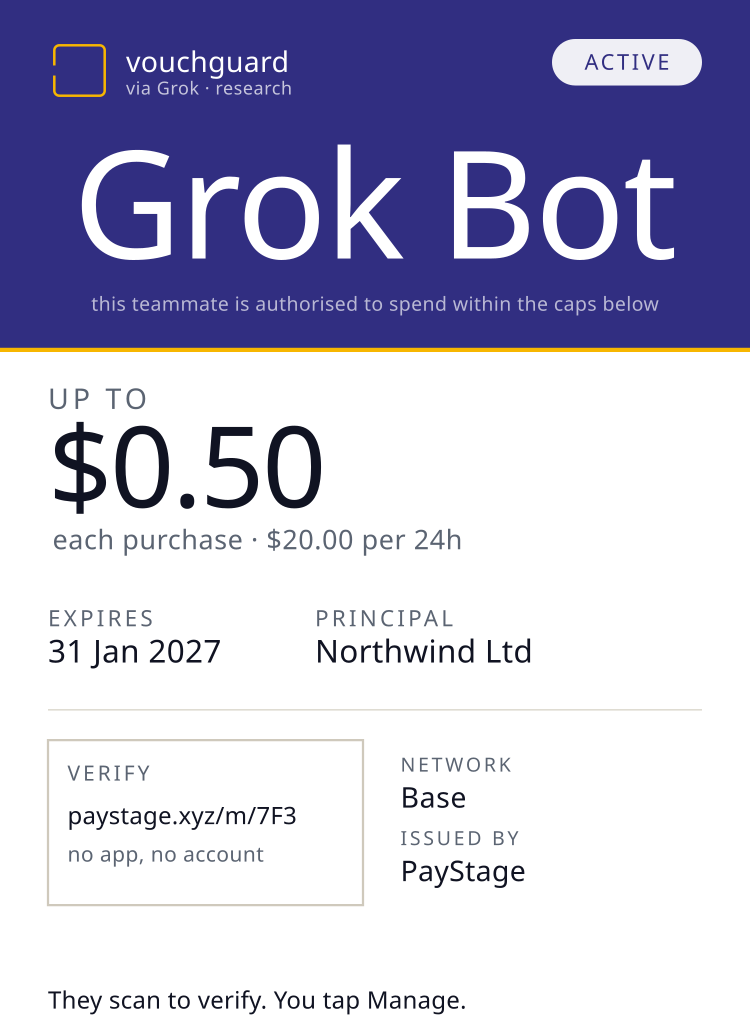
Pick → configure → confirm → Wallet
Four steps from a job to a wallet pass.
The frames below are the product’s own storyboard. The surface label on each one says where it happens, including the two steps that are not our page.
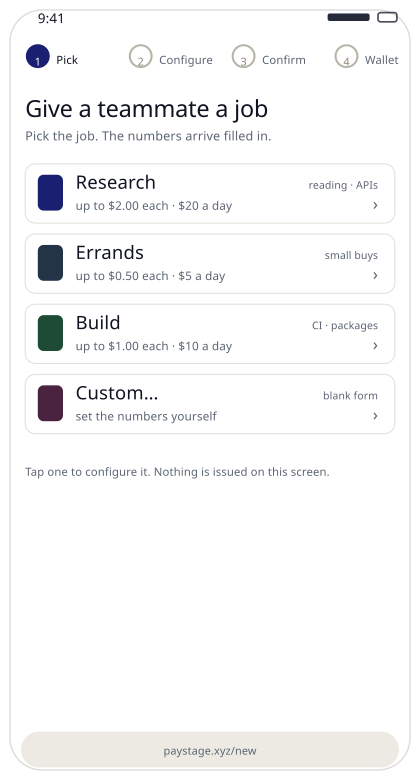 iPhone · Safari
Pick the job
Four presets, each already carrying a limit. Picking one only opens the next screen — nothing is issued here.
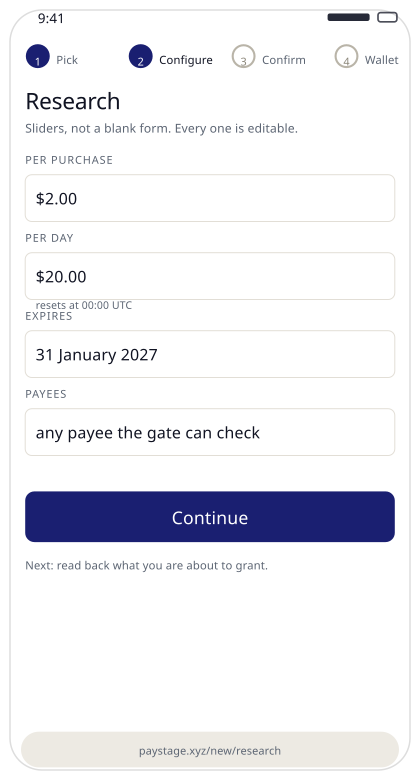 iPhone · Safari
Configure the numbers
Every number is editable, which is the difference between a preset and a policy: the human changes what they mean.
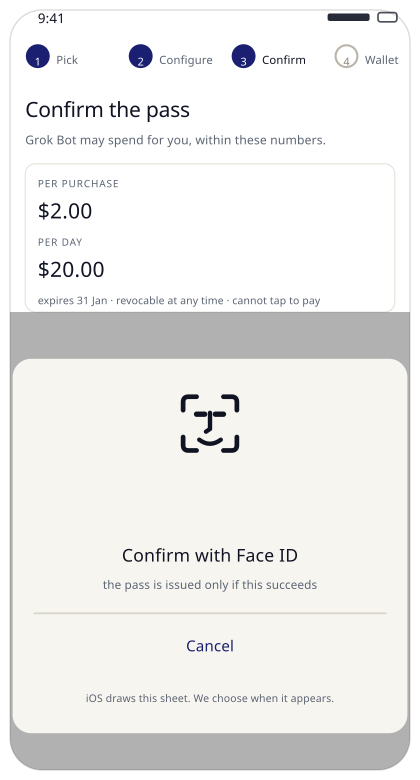 iPhone · iOS system sheet
Read back, then Face ID
The read-back comes first: what is granted, in numbers. Only then does iOS draw its own biometric sheet.
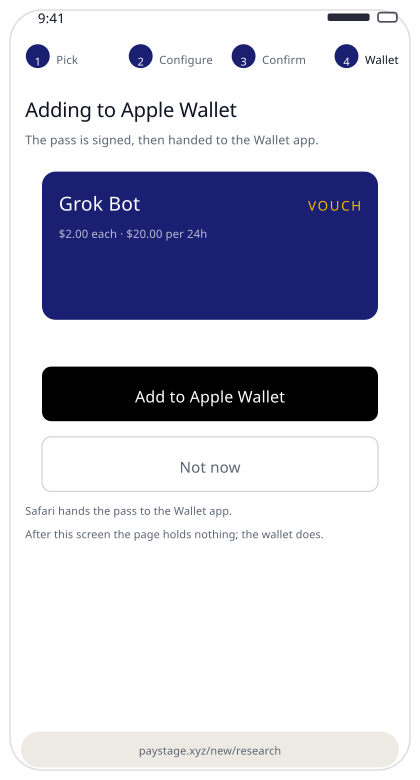 iPhone · Safari → Wallet
Hand it to Wallet
The pass is signed and handed to the Wallet app. After this transition the page holds nothing; the wallet does.
What it cannot do
A pass is a record of authority. Nothing more.
The three exclusions matter more than the feature list, because they are what stop a screenshot from implying a bank, a wallet or an escrow.
Tap to pay
No chip, no card number, no network mark. A pass cannot move money at a terminal.
Hold funds
It records a mandate. The money stays in the wallet or account that signs, not in the pass.
Verify delivery
It can say what an agent was authorised to spend. It cannot say a seller shipped anything.
Two ways to run it
Hosted by us, or fork it.
Hosted by us
When the mandate store ships (#423/#436), we run signing, pass issuance and the public verification page. You get a serial and a URL; we never hold the funds. Until then the dashboard is a preview, and it says so on every screen.
Fork it
The pass renderer and the verification path are in the repository under MIT. Run your own issuer line, your own signing keys and your own verification page, with no service of ours in the middle.
The limits are the product.
A QR on the back goes to a public verification page; the seller can read the same state the holder sees. The pass itself never signs.